API
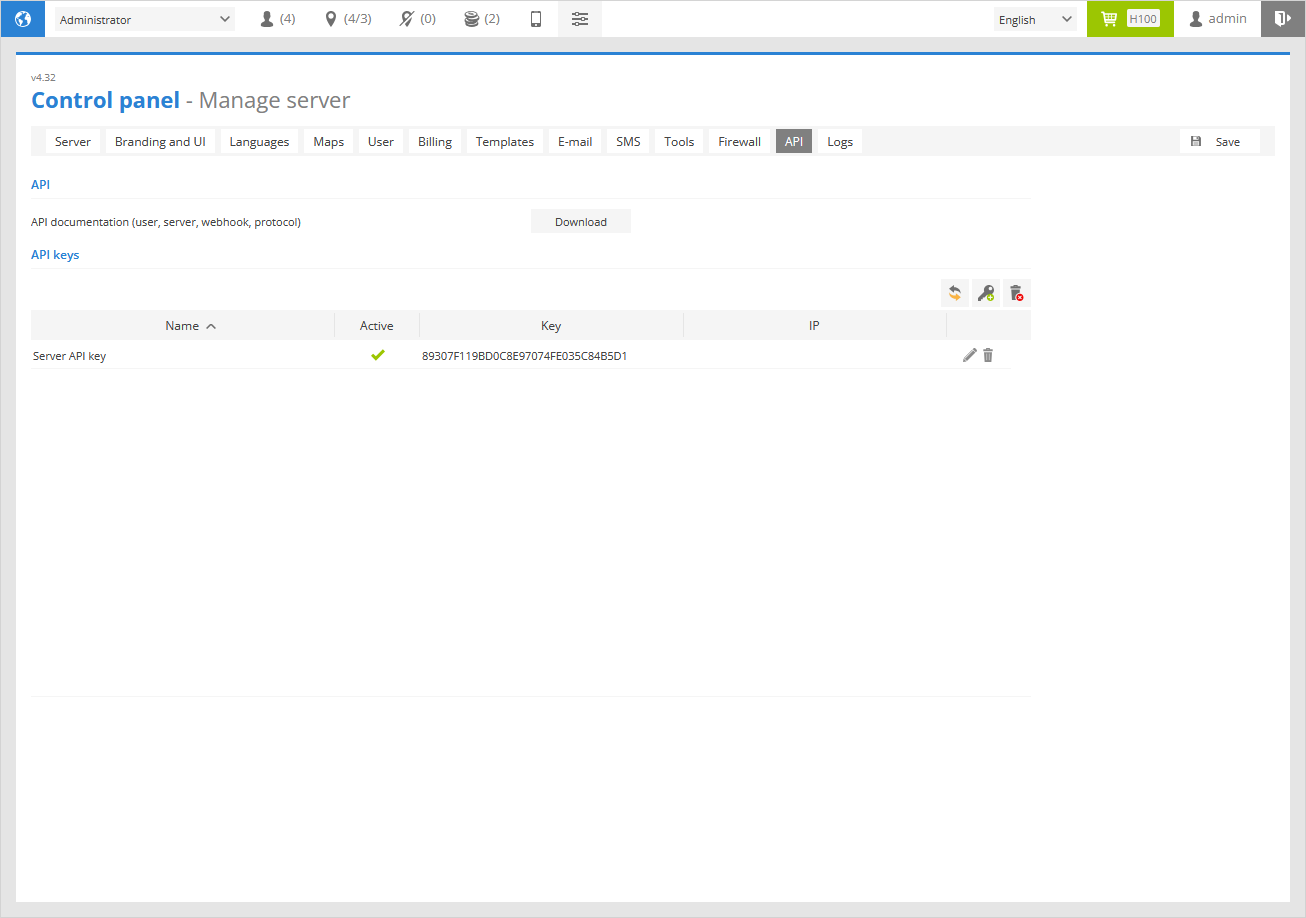
Here you can create new API keys, delete existing ones, and configure restrictions such as allowed IP addresses.
API
In this sub-section, you can download the latest versions of the API documentation, Webhook documentation, and the GPS-server protocol.
API keys
 - reload API keys list.
 - add IP address to banned IP list.
 - delete all API keys from API keys list.
Name - name of the API key.
Active - indicates if the API key is active or not.
Key - API Key number.
IP - it shows the IP address to which the API key is restricted.
 - allows to edit API key.
 - delete the API key.
API key properties
To add a new API key click on the icon.
API key properties window will appear.
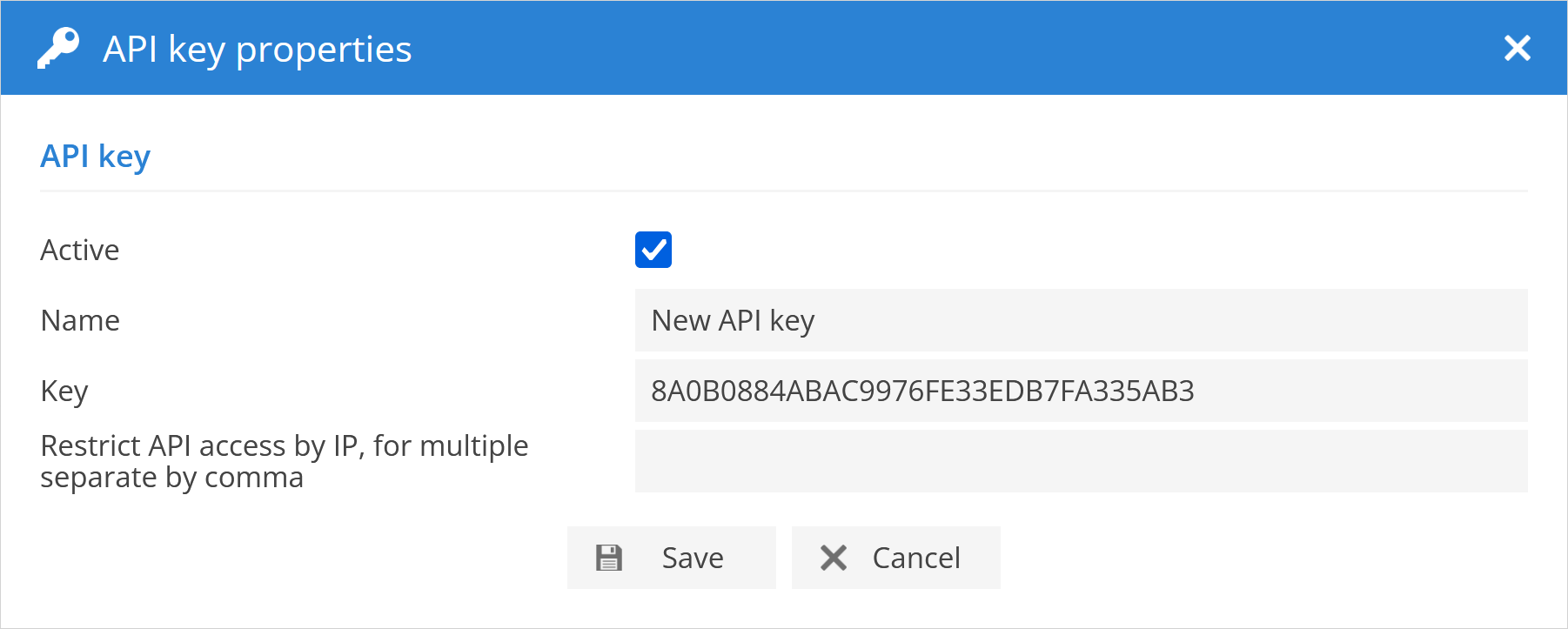
Active - indicates if the API key is active or not.
Name - name of the API key.
Key - API Key number.
Restrict API access by IP - set the IP address to which the API key is restricted.