API keys
In the API Keys section, users with Manager, Administrator, or Super Administrator privileges can generate API keys for other users.
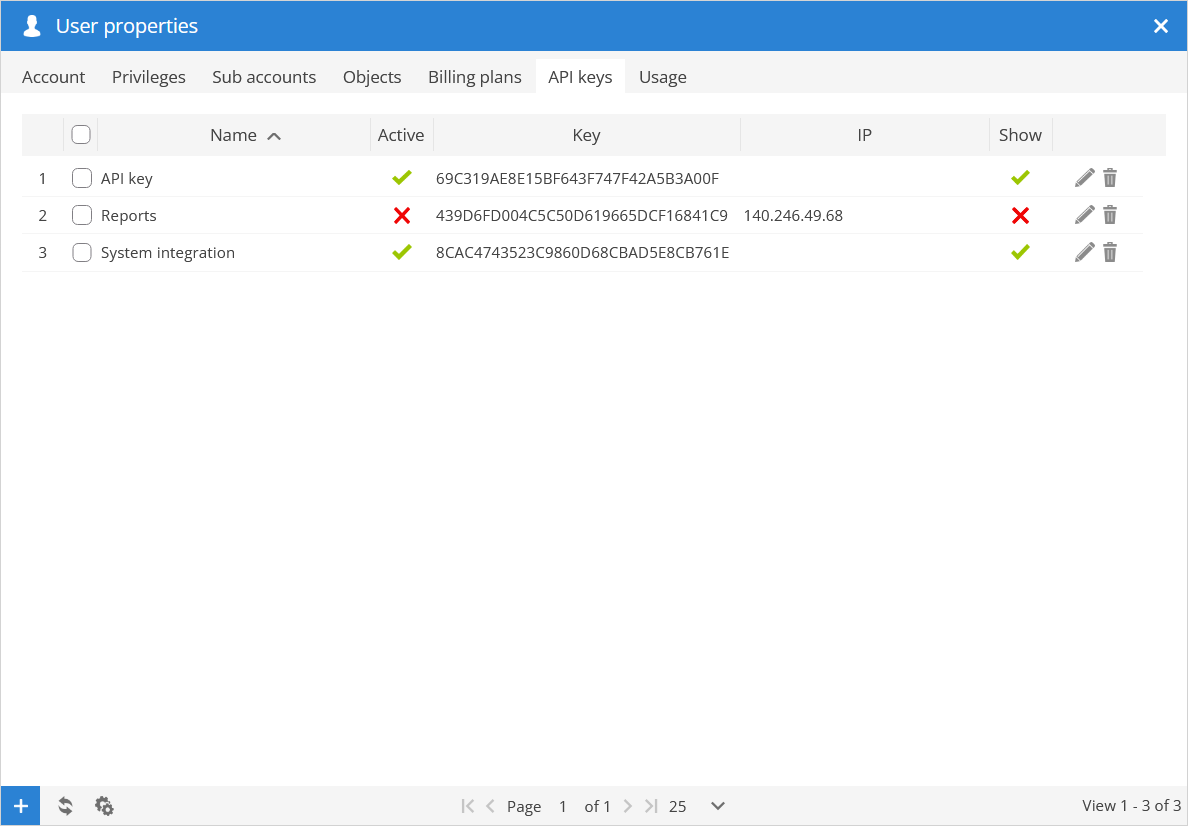
Name - name of the API key.
Active - status of the API key.
Key - API key number.
IP - shows IP address to which API key usage is restricted.
Price - price of the plan.
Show - indicates that API key is displayed in user account.
 - allows to make changes to the API keys.
 - removes API key.
 - create new API key
 - refreshes API key list.
 - opens action menu.
 - activate all selected API keys from list.
 - deactivate all selected API keys from list.
- - delete all selected API keys from the list.
API key properties
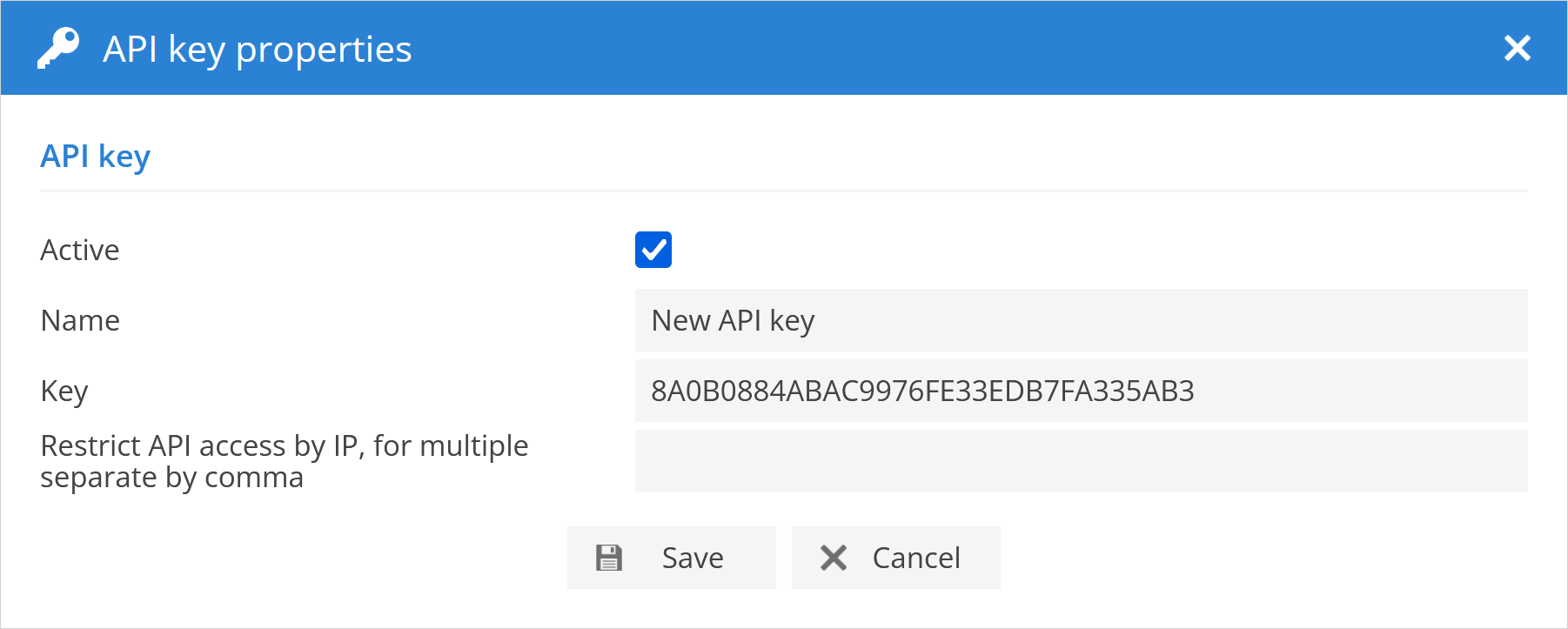
Activate - allows to activate or dectivate API key.
Name - name of the API key.
KEY - 32 digit API key.
Restrict API access by IP - allows to restrict an API key so that it can only be used from specified IP addresses.
Show in account - allows to enable or disable visibilty of API key in user account.